Why You're Looking for a 3DTuning Alternative
Let's be fair to 3DTuning first: it's genuinely good at what it is. A deep catalog of cars and parts, rendered on detailed factory 3D models, free to mess around with in a browser. If you've spent an evening cycling wheels on a virtual Silvia, you know the pull.
But at some point the itch changes. You're not playing with a car anymore — you're deciding on your car. And that's where the 3D-model approach hits its ceiling:
- The model is a car like yours — not your trim, your year, your color, or the mods already on it
- It lives in a rendering void — not your driveway, your lighting, your street
- You can't send it to your wheel shop and say "this, on my car"
The picture that convinces you to spend $2,000 on wheels can't be a picture of someone else's car. That's the gap a photo-based AI customizer closes.
The Photo-AI Alternative: Your Car, Actually
ModMyCar skips the 3D model entirely. You upload 1–5 photos of your own car — once — and the AI re-renders that exact car with the mods applied: same body lines, same trim, same background, only the build changed.
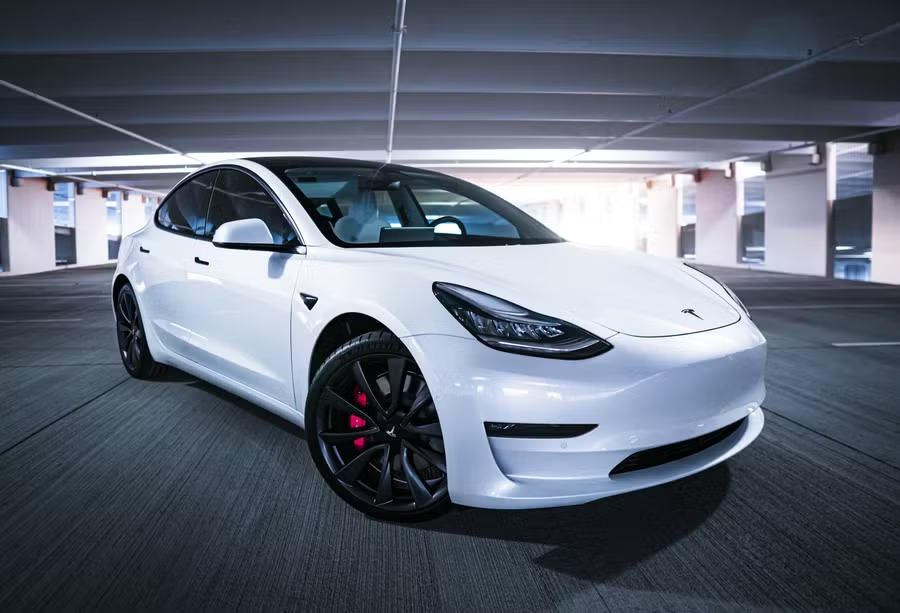 STOCK
STOCK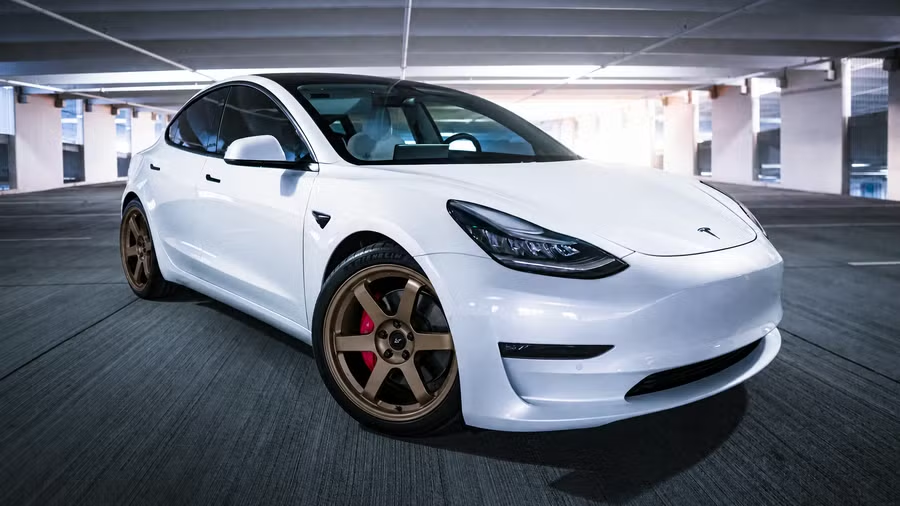 BUILT
BUILTWHEELS: BRONZE SIX-SPOKE
One garage photo in. Same car, same angle, same reflections — new wheels.
The catalog runs 130+ options across 8 groups — wheels, color & wrap (including a custom hex picker for the exact shade your shop quoted), stance, body kits, details, brakes, graphics and scenes. Stack up to four groups in one build, and every render comes back as four angles, shot like a magazine feature.
A build is 20 credits — about a dollar — and the 20 welcome credits you get at sign-up cover your first one. No subscription.
Honest Answer: Which Should You Use?
These are different tools for different moments, and pretending otherwise would be silly.
Use 3DTuning when:
- You want to browse specific branded parts on a detailed 3D model
- You're exploring cars you don't own — dream builds on dream cars
- You want free, unlimited fiddling with no stakes — it's a great sandbox
Use ModMyCar when:
- You're deciding on a build for the car you actually own
- You want to see how a wheel, wrap or stance reads on your body lines, in your lighting
- You want a render you can share — group chat, forum, or across the counter at the shop — that's unmistakably your car
The short version: 3DTuning is for exploring. ModMyCar is for deciding.
Try It on Your Own Car
Your first build is covered by the welcome credits, so the test costs you nothing but the walk to your driveway for a photo.
ModMyCar Studio
Park your car from 1–5 photos, then render wheels, wraps, stance and body kits on your exact car. Four angles per build, 20 credits (~$1) — the first one's covered by welcome credits.
Browse the mod catalog
Every option in the studio — 130+ mods across wheels, color, stance, body, details, brakes, graphics and scenes — each rendered on a real user car.